Electrola

Q&A about Talking Machines from the pre-electronic era (approx. 1885-1928).


Joe_DS
Forum Moderator
Posts: 1056
Joined: Thu Jun 08, 2006 4:23 pm
Location: San Francisco, California, USA

Re: Electrola

by Joe_DS » Sat Feb 23, 2013 4:33 am

Maxoffroad wrote:Good job!
...
Here is some pictures.
http://forum.club4x4.ro/album.php?albumid=20
...
My name is Dan and i am from Romania.
All best!


Hi Dan:

Welcome to Phonoland.

I tried to view your photos by clicking on the jump you provided, but this is all I saw:
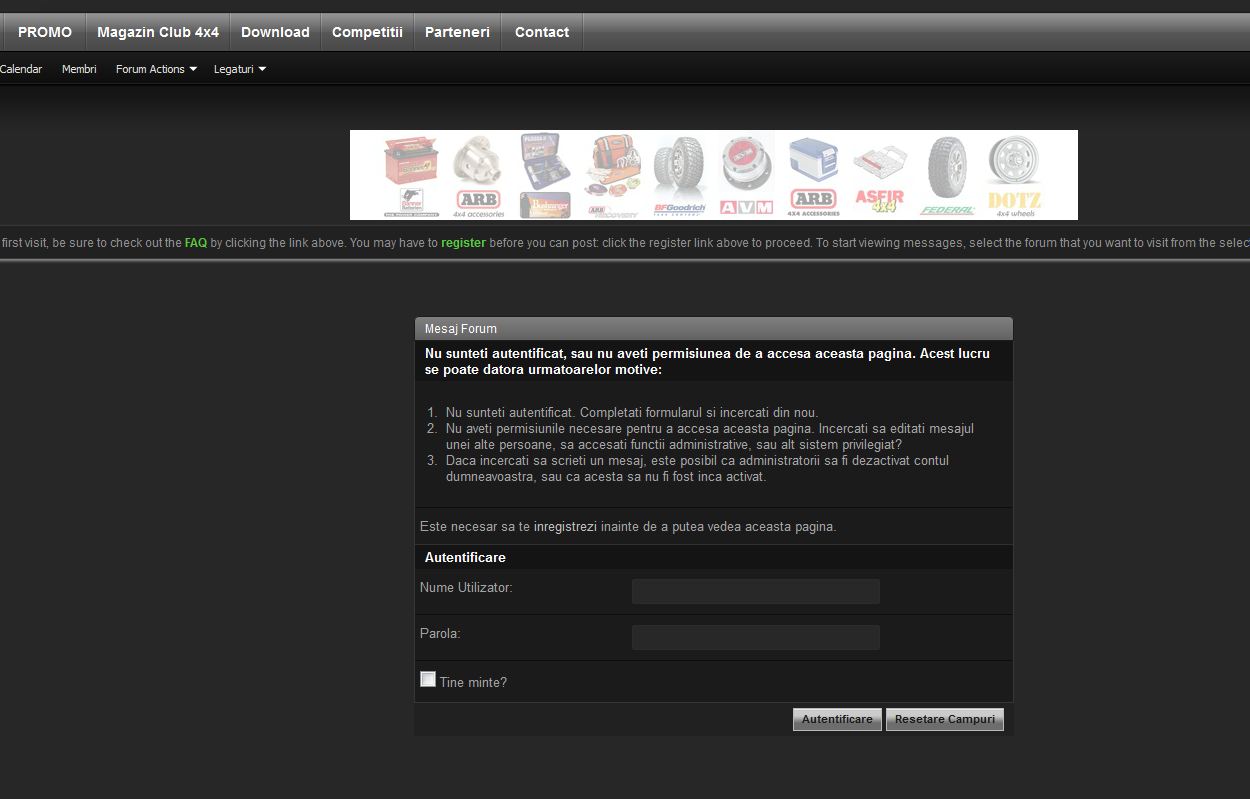
siteCapture.JPG
siteCapture.JPG (96.72 KiB) Viewed 733 times

(Click on image to view full size.)

I guess I'd have to join the forum to view the photos. If you can, please post direct jumps to the images -- The entire URLs from the site, starting with "Http:" and ending with "JPG.".

If they're not hosted on that site in Jpg format, you can host them right on this forum, and embed them in your post, as explained here --

viewtopic.php?f=7&t=3226

Joe

Maxoffroad
Junior Member
Posts: 2
Joined: Sat Feb 23, 2013 12:30 am

Re: Electrola

by Maxoffroad » Sun Feb 24, 2013 5:40 am

Sorry for error. I don't know how can make may album to view public without register on my forum.
I put here pictures with individual link. I hope is ok now.

Thank you.

Image

Image

Image

Image

Image

Image

Image

Image


Joe_DS
Forum Moderator
Posts: 1056
Joined: Thu Jun 08, 2006 4:23 pm
Location: San Francisco, California, USA

Re: Electrola

by Joe_DS » Sun Feb 24, 2013 6:07 pm

Hi Dan:

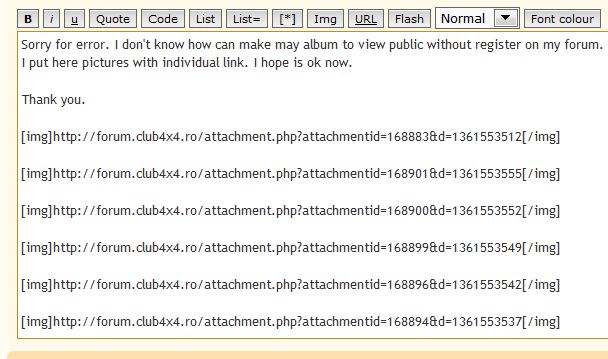
Your images don't show. I looked at what you posted and can see what the problem is.

This is what you posted:'

image from post.JPG
image from post.JPG (56.71 KiB) Viewed 724 times


Without getting too technical, what you've done is to paste the number that club4x4 assigned to each image between the img brackets, and not the image URL or web address.

In order for an image to show up, it has to have an actual web address or "URL", which starts with "http" and ends with it's file type -- JPG or GIF for most images.

The easiest way to post an image on this site is to click on the "Upload attachment" tab which appears below:

2Capture.JPG
2Capture.JPG (29.91 KiB) Viewed 724 times


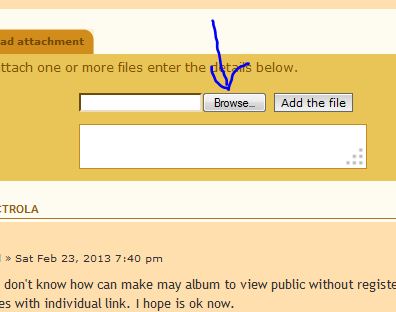
Then use the "Browse" button to locate the image file that's stored on your computer:

3Capture.JPG
3Capture.JPG (25.84 KiB) Viewed 724 times


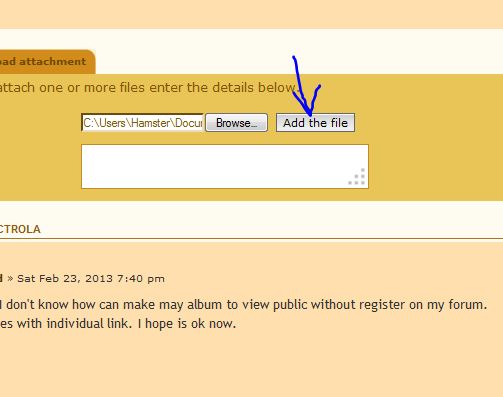
After you locate the image file, click on it to highlight it, and then click the OPEN button. Then click on the "Add the File" button:

4Capture.JPG
4Capture.JPG (29.99 KiB) Viewed 724 times


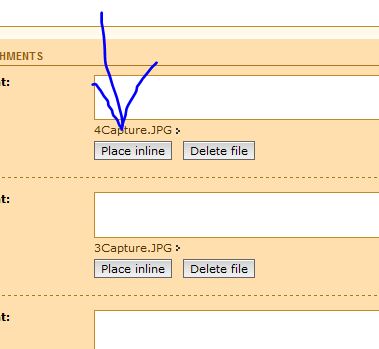
Then click on the Place Inline button:

5Capture.JPG
5Capture.JPG (24.1 KiB) Viewed 724 times


This has to be done for every image you post.


Hope this helps,
Joe

Who is online

Users browsing this forum: No registered users and 1 guest

It is currently Thu Oct 06, 2016 7:50 am